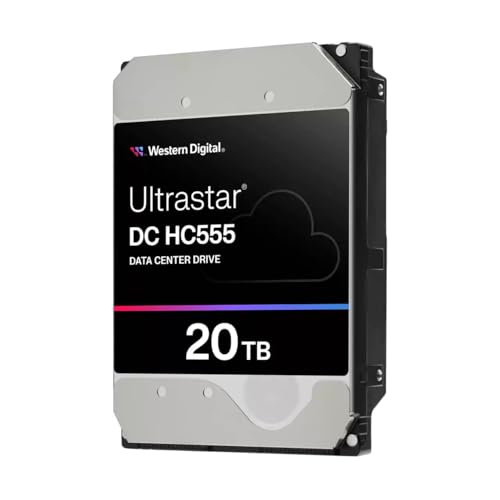
20 TB hard drives Black Friday Deals 2026

Amazon US · USDAmazon sale dates · Nov 19–30, 2026

Amazon Black Friday deals

As an Amazon Associate we earn from qualifying purchases. Prices and availability are accurate as of the time indicated and may change. The price and availability displayed on Amazon at the time of purchase apply.

Product and offerAmazon price
Amazon Black Friday Deal 38% off
WD 20TB Elements Desktop External Hard Drive, USB 3.0 drive for plug-and-play storage - WDBWLG0200HBK-NESN

New · Amazon.com · 20 TB · Ends

$549.99List Price $879.99$27.50/TBChecked
Buy on Amazon

Regular listings

Product and offerAmazon price
$569.99$28.50/TBChecked
Buy on Amazon
$599.99$30.00/TBChecked
Buy on Amazon
$629.99Typical price $679.99$31.50/TBChecked
Buy on Amazon
$649.00$32.45/TBChecked
Buy on Amazon
$659.00$32.95/TBChecked
Buy on Amazon
$659.00$32.95/TBChecked
Buy on Amazon
$669.99$33.50/TBChecked
Buy on Amazon
$669.99$33.50/TBChecked
Buy on Amazon
$859.99$43.00/TBChecked
Buy on Amazon
$881.15$44.06/TBChecked
Buy on Amazon
$899.99$45.00/TBChecked
Buy on Amazon
$935.87$46.79/TBChecked
Buy on Amazon
$970.98$48.55/TBChecked
Buy on Amazon
$974.75$48.74/TBChecked
Buy on Amazon
$994.45$49.72/TBChecked
Buy on Amazon
$1,079.49$53.97/TBChecked
Buy on Amazon
Synology HAS5310-20T HDD with 20TB

New · vCloudTech · 20 TB

$1,208.48$60.42/TBChecked
Buy on Amazon
$1,299.99$65.00/TBChecked
Buy on Amazon

Buying guide

20 TB hard drives offer massive storage for demanding applications like backup servers, video archives, and large-scale NAS systems. Choosing the right model involves comparing price per terabyte, reliability features, and compatibility with your existing hardware. This guide explains the key criteria to help you select a 20 TB drive suited to your setup, workload, and budget.

Comparing Dollars per Terabyte and Drive Configurations

When shopping for 20 TB hard drives, always calculate the price per terabyte within each offer. For high-capacity drives, this figure often drops in multi-pack bundles, but individual drives remain popular for upgrades or smaller deployments. Compare single and multi-drive listings carefully, ensuring you do not mix pricing between individual units and multi-packs, which may influence the perceived value.

Not all listings clearly separate new, renewed, or refurbished conditions. To compare fairly, confirm the exact condition and warranty of each option. Vendors typically list these details in the specifications or product description. Buying new ensures manufacturer warranty and documented performance, while refurbished drives may save money but often come with shorter warranties and higher risk, especially at these capacities.

SATA vs SAS, Drive Features, and Recording Technologies

20 TB hard drives generally use either SATA or SAS interfaces. SATA models offer broad compatibility with PCs, desktops, and most consumer-grade NAS units. SAS drives, on the other hand, target enterprise servers with higher reliability, dual-port redundancy, and sustained workloads. Always verify your host system's compatibility with the intended interface before purchase.

Recording technology also matters at this capacity. Look for terms like CMR (Conventional Magnetic Recording) or SMR (Shingled Magnetic Recording) in the specifications. CMR is preferable for write-intensive workflows and traditional RAID, while SMR may suit archive or infrequently written data but can struggle with high write loads. Scrutinize the manufacturer’s documentation or datasheet for these details.

Capacity, Formatting, and Usable Space Considerations

Although marketed as "20 TB," the usable capacity after formatting will be slightly less, often around 18.2 TB, depending on filesystem overhead and drive geometry. Always look beyond raw capacity to consider how much space your applications require after setup. NAS users should also factor in RAID configurations, which reduce available capacity further for redundancy.

Check the documentation for compatibility with your OS and storage controller. Some systems may not support drives over a certain size due to BIOS, partition format, or firmware limitations. Confirm support for 20 TB disks in your hardware's manuals or on the vendor support site. This avoids expensive mismatches between your investment and your infrastructure's capabilities.

Buying Checklist and When to Wait or Buy

Before purchasing, verify: exact model number, condition (new or refurbished), interface type (SATA or SAS), recording technology (CMR or SMR), warranty terms, and documented compatibility with your system. Write these criteria in your checklist and cross-reference each product listing and the manufacturer’s datasheet before committing.

If your workload requires the best reliability or endurance, prioritize enterprise or data center-class drives and double-check vibration resistance, workload rate, and error handling support. If prices are steady and meet your budget, buy. If model transitions are pending or better generations are listed in vendor roadmaps, consider waiting until discounts or new features appear in retail channels.

Frequently asked questions

How can I tell if a 20 TB hard drive uses CMR or SMR recording?

Review the manufacturer’s product page or datasheet for the exact model number. CMR and SMR are often specified under recording technology. Avoid relying on the listing title alone—always verify with the official documentation or support site.

Will a SATA 20 TB drive work in my NAS or desktop?

Most modern NAS units and PCs with SATA ports support high-capacity SATA drives, but always check your hardware’s compatibility list or documentation to ensure support for 20 TB models and correct file system formatting.

Related Black Friday guides

Browse all Black Friday categories