26 TB hard drives Black Friday Deals 2026
Amazon US · USDAmazon sale dates · Nov 19–30, 2026
Amazon Black Friday deals
As an Amazon Associate we earn from qualifying purchases. Prices and availability are accurate as of the time indicated and may change. The price and availability displayed on Amazon at the time of purchase apply.
Amazon hasn’t reported a Black Friday deal for these listings. Check Amazon
Regular listings
| Product and offer | Amazon price |
|---|---|
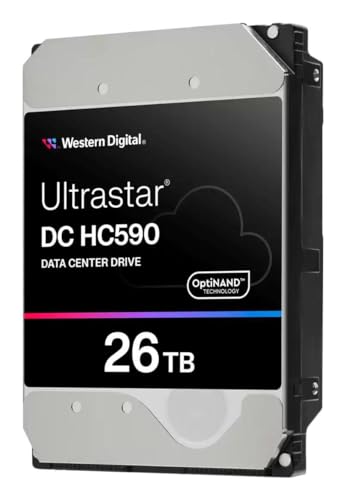
$798.99$30.73/TBChecked Buy on Amazon | |
$819.99$31.54/TBChecked Buy on Amazon | |
$859.99$33.08/TBChecked Buy on Amazon | |
$929.00New Price Buy on Amazon | |
$1,213.78$46.68/TBChecked Buy on Amazon | |
$1,418.33$54.55/TBChecked Buy on Amazon | |
$1,420.00$54.62/TBChecked Buy on Amazon |




Related alternatives
Compare related models or capacities and check the exact specifications and fit before buying.
| Product and offer | Amazon price |
|---|---|
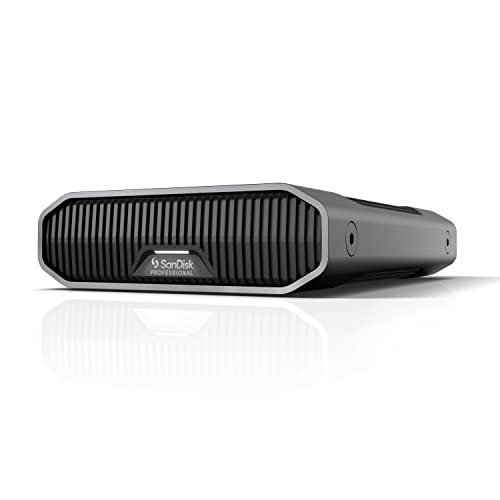
$739.99New Price Buy on Amazon | |
$799.99$33.33/TBChecked Buy on Amazon | |
$1,454.99$60.62/TBChecked Buy on Amazon | |
$639.99New Price Buy on Amazon | |
$1,379.99$57.50/TBChecked Buy on Amazon | |
$739.99$30.83/TBChecked Buy on Amazon | |
$928.99$38.71/TBChecked Buy on Amazon | |
$1,699.99$70.83/TBChecked Buy on Amazon |





Frequently asked questions
Will my older NAS or RAID system accept a 26 TB hard drive?
Only if the system’s firmware and hardware explicitly support drives above 20 or 24 TB. Check with the enclosure vendor’s official compatibility lists and documentation before purchasing a 26 TB drive.
Are 26 TB hard drives suitable for continuous 24/7 operation?
Most 26 TB enterprise drives are rated for continuous use, but always review the model’s workload, duty cycle, and warranty terms. Use adequate cooling and vibration control to ensure long-term reliability in an always-on environment.
Related Black Friday guides
Hard drives
- Hard drives
- High-capacity hard drives
- Enterprise hard drives
- Refurbished enterprise hard drives
- NAS hard drives
- Surveillance hard drives
- External hard drives
- SAS hard drives
- 2.5-inch SAS hard drives
- SATA hard drives
- 6 TB hard drives
- 8 TB hard drives
- 10 TB hard drives
- 12 TB hard drives
- 14 TB hard drives
- 16 TB hard drives
- 18 TB hard drives
- 20 TB hard drives
- 22 TB hard drives
- 24 TB hard drives
- 28 TB hard drives
- Seagate Exos
- Seagate Exos X18
- Seagate Exos X20
- Seagate Exos X24
- Seagate IronWolf
- Seagate IronWolf Pro
- Toshiba MG
- Toshiba N300
- WD Gold
- WD Red
- WD Red Plus
- WD Red Pro
- WD Ultrastar
- WD Ultrastar HC550
- WD Ultrastar HC560