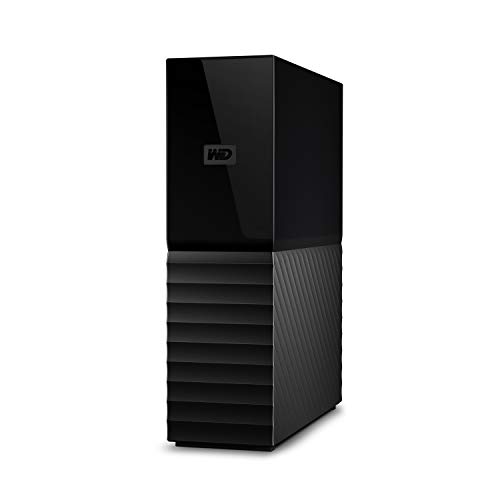
16 TB hard drives Black Friday Deals 2026

Amazon US · USDAmazon sale dates · Nov 19–30, 2026

Amazon Black Friday deals

As an Amazon Associate we earn from qualifying purchases. Prices and availability are accurate as of the time indicated and may change. The price and availability displayed on Amazon at the time of purchase apply.

Amazon hasn’t reported a Black Friday deal for these listings. Check Amazon

Regular listings

Product and offerAmazon price
$399.00$24.94/TBChecked
Buy on Amazon
$399.99$25.00/TBChecked
Buy on Amazon
$409.95Typical price $449.95$25.62/TBChecked
Buy on Amazon
$439.99$27.50/TBChecked
Buy on Amazon
$449.99Typical price $479.99$28.12/TBChecked
Buy on Amazon
$449.99Typical price $479.99$28.12/TBChecked
Buy on Amazon
$498.00$31.13/TBChecked
Buy on Amazon
$529.99$33.12/TBChecked
Buy on Amazon
$629.99$39.37/TBChecked
Buy on Amazon
$679.00$42.44/TBChecked
Buy on Amazon
$692.94$43.31/TBChecked
Buy on Amazon
$696.00$43.50/TBChecked
Buy on Amazon
$698.99$43.69/TBChecked
Buy on Amazon
$714.99List Price $754.99$44.69/TBChecked
Buy on Amazon
$774.99$48.44/TBChecked
Buy on Amazon

Buying guide

A 16 TB drive makes sense when you need more usable storage without adding bays. Start with the drive your system can accept, then compare the total price, condition, and seller. This guide works through the real choices for a NAS upgrade, an enterprise replacement, or a separate backup drive.

Match the interface and exact model

Start with the label on the drive you are replacing or the compatibility list for your NAS. Most desktop PCs and consumer NAS units use SATA. A SAS drive requires a SAS controller and a compatible backplane or cable. Both drives can appear in the same 3.5-inch form factor, so a photo is a poor way to identify the connection.

Compare the full model number, including its suffix. Western Digital lists the 16 TB Ultrastar HC550 WUH721816ALE6L4 as SATA and the WUH721816AL5204 as SAS. A retailer title that says only HC550 leaves that distinction open. On an enterprise replacement, also confirm the logical sector format and any requirements of the controller or array.

Work out usable capacity

A single 16 TB disk holds roughly 14.55 TiB before formatting. With two equal drives in a mirror, budget for 16 TB usable in decimal units before filesystem overhead. Four equal drives with single-drive parity give roughly 48 TB on the same basis. Reserve additional space for snapshots, growth, and the version history you want to retain.

For an upgrade, check how your NAS expands an existing storage pool before ordering one larger disk. In some RAID layouts, the smallest drive determines how much capacity the array can use per disk. A single 16 TB replacement may restore redundancy immediately while the extra capacity becomes available after additional drives are replaced.

Compare price, condition, and seller

Divide the checkout price by the total terabytes in the offer. A two-pack of 16 TB drives has 32 TB raw capacity, so divide by 32 to compare its price per TB with a single drive. Then run the comparison again using the usable capacity you expect after redundancy to see what the full upgrade costs.

Compare new, refurbished, and used drives within their own condition groups. For a refurbished enterprise drive, check the return window, who provides the warranty, and whether the seller supplies a health report. Before relying on a replacement, run the vendor's extended diagnostic or a SMART long test and keep a separate copy of important files.

Choose for the workload

For a busy NAS or parity array, look for conventional magnetic recording, often listed as CMR, and check the model's workload rating and bay-count guidance. For a drive that will sit near your desk, weigh noise and heat alongside capacity. An inexpensive enterprise drive can still be a poor fit if the enclosure cannot cool it adequately.

Buy when the exact model fits, the usable capacity is enough, and the price compares well with other drives in the same condition. If adding capacity means replacing several drives anyway, compare the complete cost of 14 TB, 16 TB, and 18 TB configurations before deciding.

Frequently asked questions

Can I use a 16 TB drive to replace a failed disk in a NAS?

Check the NAS manual and the healthy drives in the array. A replacement needs the supported interface and at least the required usable sector count. Verify the exact model before starting the rebuild.

Does a mirror give me 32 TB from two 16 TB drives?

A two-drive mirror stores a copy on each disk and gives roughly 16 TB usable before formatting. With 32 TB of raw disk capacity, the second drive provides redundancy.

Related Black Friday guides

Browse all Black Friday categories