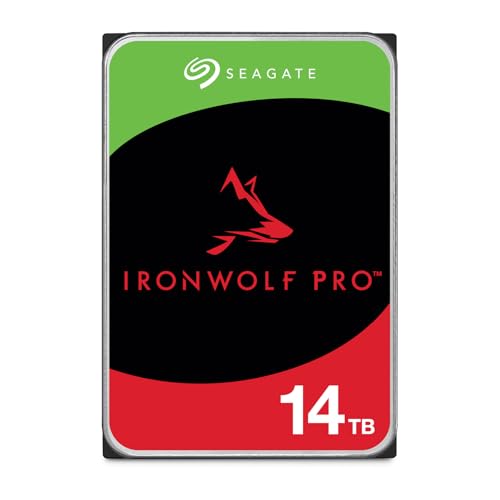
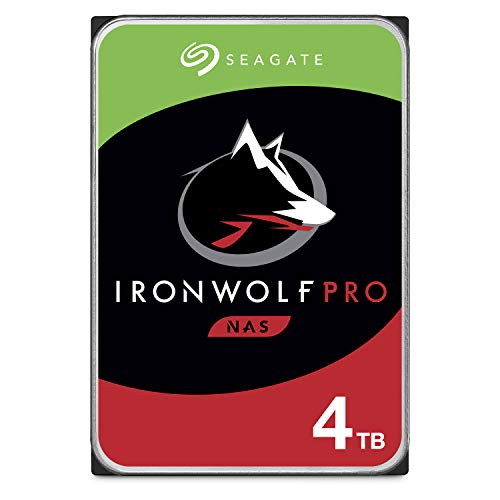
Seagate IronWolf Black Friday Deals 2026

Amazon US · USDAmazon sale dates · Nov 19–30, 2026

Amazon Black Friday deals

As an Amazon Associate we earn from qualifying purchases. Prices and availability are accurate as of the time indicated and may change. The price and availability displayed on Amazon at the time of purchase apply.

Amazon hasn’t reported a Black Friday deal for these listings. Check Amazon

Regular listings

Product and offerAmazon price
Seagate IronWolf ST6000VN001 6 TB Hard Drive - 3.5" Internal - SATA (SATA/600)

Used · ALL4COMPUTERS ----- SIGNATURE REQUIRED ----- · 6 TB

$219.99$36.67/TBChecked
Buy on Amazon
$629.99$39.37/TBChecked
Buy on Amazon
$554.66$39.62/TBChecked
Buy on Amazon
$698.99$43.69/TBChecked
Buy on Amazon
$614.45$43.89/TBChecked
Buy on Amazon
$1,059.99$44.17/TBChecked
Buy on Amazon
$469.00$46.90/TBChecked
Buy on Amazon
$469.00$46.90/TBChecked
Buy on Amazon
$189.99$47.50/TBChecked
Buy on Amazon
$436.68$54.59/TBChecked
Buy on Amazon
$259.99Typical price $279.00$65.00/TBChecked
Buy on Amazon

Related alternatives

Compare related models or capacities and check the exact specifications and fit before buying.

Product and offerAmazon price
$129.99$65.00/TBChecked
Buy on Amazon
Amazon Black Friday Deal 38% off
WD 20TB Elements Desktop External Hard Drive, USB 3.0 drive for plug-and-play storage - WDBWLG0200HBK-NESN

New · Amazon.com · 20 TB · Ends

$549.99List Price $879.99$27.50/TBChecked
Buy on Amazon
$289.99$36.25/TBChecked
Buy on Amazon
$199.99List Price $274.99$40.00/TBChecked
Buy on Amazon

Buying guide

Seagate IronWolf drives are designed specifically for NAS environments, focusing on workload-optimized firmware, reliability, and performance suited for 24/7 operation. Buyers should study the series, model numbers, and performance specifications, as IronWolf encompasses both standard and Pro variants. This guide walks through the most important steps for effectively evaluating, comparing, and selecting IronWolf drives for personal or small business NAS deployments.

Distinguishing IronWolf from IronWolf Pro

Standard IronWolf models are built for 1-8 bay NAS systems and come in capacities from 1TB to 18TB. IronWolf Pro is optimized for larger multi-user environments, supporting up to 24 bays and higher sustained workloads. Always check the listing and model code: Pro drives typically contain 'Pro' in the model name and a different warranty and workload rating.

Read the Seagate datasheet for your exact IronWolf or IronWolf Pro part number. The standard IronWolf features a workload rate of up to 180TB/year, while Pro models support up to 300TB/year and longer warranties. Make sure the listing, documentation, and NAS compatibility list agree on the drive model’s capabilities for your expected usage scenario.

Buying Diskless versus Populated NAS Packages

NAS drives are often sold singly or bundled as 'populated' NAS systems. Buying diskless units lets you choose exact IronWolf models for your needs, while populated NAS offerings may include standard or lower-end drives. If buying pre-built systems, verify from the included drive model number whether it’s a base IronWolf or Pro version, and cross-check warranty or endurance coverage.

For multi-drive purchases, use the price-per-TB metric to compare cost efficiency. Always check if included drives are 'renewed' or 'open box,' and prefer full Seagate-certified warranty where available. Review the NAS manufacturer’s compatibility list to confirm support for specific IronWolf model codes in your enclosure.

Capacity, RAID, and Usable Storage Considerations

Match IronWolf capacity to your data growth plan and redundancy goals. For example, a 4-bay NAS with four 8TB drives in RAID 5 yields about 24TB usable after parity. Smaller capacities cost less per drive but often cost more per TB. Calculate the effective, post-RAID usable space from Seagate’s RAID calculator or your NAS administration utility.

Always verify NAS support for large capacity models—some systems may only support up to 16TB or 18TB per bay. Account for future expansion by leaving empty bays, and buy matched models together (same revision and firmware) for consistent RAID operation and easier troubleshooting over time.

Checklist for IronWolf Drive Upgrades and When to Purchase

Use this checklist: Match model number to your NAS vendor’s supported drive list, verify system support for planned capacity and RAID configuration, confirm firmware and SMART compatibility, and ensure your warranty status is unambiguous. Thoroughly compare single-drive and multi-pack prices among listings.

Upgrade now if storage is running low, drives show increased error rates, or your NAS needs added users or services. Wait if firmware updates are necessary, if existing drives remain healthy, or there’s indication of imminent new-model releases. Carefully inspect return and warranty policies before committing to bulk purchases.

Frequently asked questions

Can IronWolf non-Pro drives be used in larger business-class NAS units?

Standard IronWolf drives can work in NAS up to 8 bays, but for higher bay counts or demanding multi-user environments, IronWolf Pro is recommended for its greater workload and warranty coverage.

How do I check if my NAS is compatible with a specific IronWolf model?

Visit your NAS vendor’s official hard drive compatibility list and cross-reference the complete IronWolf or IronWolf Pro model code. If unsure, consult vendor support or Seagate’s compatibility webpages before purchasing.

Related Black Friday guides

Browse all Black Friday categories