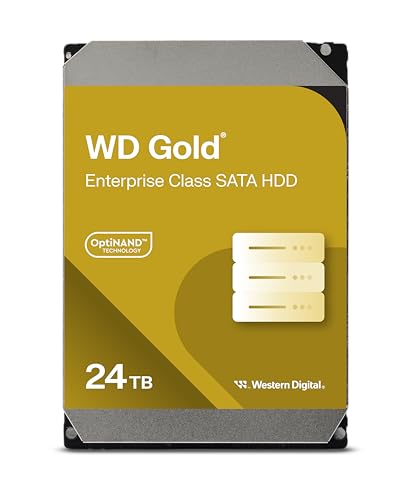
WD Gold Black Friday Deals 2026

Amazon US · USDAmazon sale dates · Nov 19–30, 2026

Amazon Black Friday deals

As an Amazon Associate we earn from qualifying purchases. Prices and availability are accurate as of the time indicated and may change. The price and availability displayed on Amazon at the time of purchase apply.

Amazon hasn’t reported a Black Friday deal for these listings. Check Amazon

Regular listings

Product and offerAmazon price
$499.00New Price $845.00$27.72/TBChecked
Buy on Amazon
$415.00$34.58/TBChecked
Buy on Amazon
$629.99$45.00/TBChecked
Buy on Amazon
$644.45$46.03/TBChecked
Buy on Amazon
$184.99$46.25/TBChecked
Buy on Amazon
$754.99$47.19/TBChecked
Buy on Amazon
$589.99$49.17/TBChecked
Buy on Amazon
$299.99New Price $495.00$50.00/TBChecked
Buy on Amazon
$1,229.99$51.25/TBChecked
Buy on Amazon
$1,273.20$53.05/TBChecked
Buy on Amazon
$1,079.49$53.97/TBChecked
Buy on Amazon
$1,418.33$54.55/TBChecked
Buy on Amazon
$614.00$61.40/TBChecked
Buy on Amazon
$650.00$65.00/TBChecked
Buy on Amazon
$137.00$68.50/TBChecked
Buy on Amazon
$495.00$82.50/TBChecked
Buy on Amazon
$110.00New Price $159.00$110.00/TBChecked
Buy on Amazon
$479.00$119.75/TBChecked
Buy on Amazon

Buying guide

WD Gold hard drives target demanding workloads and data-critical environments where high reliability and endurance are required. Buyers should consider specifications, performance, and price per terabyte when selecting from available WD Gold models. Use comparison points like drive interface, recording technology, and the total cost over multiple drives or packs, ensuring the right fit for your storage needs.

Comparing WD Gold Models and Capacities

WD Gold drives come in a range of capacities, typically from 1TB to 22TB. Carefully check the model number, as WD Gold’s product line includes both conventional magnetic recording (CMR) and shingled magnetic recording (SMR) types. Always consult the manufacturer's documentation to confirm the recording method and intended usage, since CMR models are usually prioritized for mixed workloads and compatibility in enterprise environments.

SATA is the standard interface for most WD Gold drives, but SAS options exist for enterprise deployments. Check your system’s controller compatibility before purchasing. For each drive, calculate the cost per terabyte for single units and for bundled packs. Multi-packs often reduce per-terabyte costs, but verify warranty and return policies, as some sellers restrict returns on bulk orders.

Single Drives vs. Packs: Price, Warranty, and Use

Buying a single WD Gold drive provides flexibility and a straightforward warranty claim process. However, organizations managing large arrays might consider multi-packs if it lowers the per-terabyte price. Always check if the seller offers manufacturer warranty and if serial numbers can be registered, as some packs are intended for system integrators or data center deployments only.

Be wary of offers that provide unclear packaging or missing accessories in bulk deals. Some sellers offer WD Gold drives pulled from larger systems, which may not carry a full manufacturer’s warranty. Carefully review the product listing for language about drive status (new, refurbished, or recertified) and verify the effective usable capacity, which is slightly less than labeled after formatting.

Evaluating Workload, Performance, and Enterprise Features

WD Gold hard drives are designed for up to 550TB workload per year, much higher than desktop drives. Consider your expected read/write volume, especially for continuous, 24/7 operations. WD Gold models offer advanced vibration protection, steady performance under heavy load, and extended error correction algorithms. Study the official datasheet to match workload ratings and reliability features with your needs.

Spin speed is typically 7200 RPM, providing favorable performance for enterprise and workstation applications. Cache buffer sizes vary, so check if higher models offer larger caches for improved sustained throughput. For RAID or NAS environments, verify if features like rotational vibration sensors or persistent write cache are present and compatible with your target system’s requirements. Always confirm compatibility with your storage controller’s specs.

Checklist for Smart Purchasing Decisions

Before purchasing, record the exact drive model number and check against WD’s website for specifications. Confirm interface type (SATA or SAS), capacity, cache size, and warranty. Calculate cost per TB, distinguishing between single drives and packs. Inspect the listing for drive condition, included accessories, warranty type, and return policy. Do not rely on headline capacity alone; consider workload ratings and operational environment needs.

If your workload is currently low or if your storage array does not fully utilize available capacity, it might be sensible to wait. However, for immediate workspace expansion, deploying matched models in a RAID array reduces risk and improves manageability. As feature sets can change with newer model releases, regularly reference vendor and retailer listings for hardware revisions and updated performance metrics before purchase.

Frequently asked questions

How do I know if a WD Gold drive is compatible with my system?

Check your system or controller’s documentation for supported interfaces (SATA or SAS) and maximum drive capacities. Match the WD Gold model’s connection, physical size, and firmware support to ensure seamless integration for your workload or RAID configuration.

Can I use WD Gold drives in a NAS or desktop PC?

Yes, WD Gold drives can be used in most NAS or desktop environments with standard SATA connections. Ensure the workload and vibration tolerance features align with your application, and always confirm compatibility via your system’s support documentation.

Related Black Friday guides

Browse all Black Friday categories