Surveillance hard drives Black Friday Deals 2026

Amazon US · USDAmazon sale dates · Nov 19–30, 2026

Amazon Black Friday deals

As an Amazon Associate we earn from qualifying purchases. Prices and availability are accurate as of the time indicated and may change. The price and availability displayed on Amazon at the time of purchase apply.

Amazon hasn’t reported a Black Friday deal for these listings. Check Amazon

Regular listings

Product and offerAmazon price
$159.99$26.67/TBChecked
Buy on Amazon
$189.99$31.67/TBChecked
Buy on Amazon
$319.95$31.99/TBChecked
Buy on Amazon
$199.99Typical price $209.99$33.33/TBChecked
Buy on Amazon
$349.95$35.00/TBChecked
Buy on Amazon
$149.99$37.50/TBChecked
Buy on Amazon
$154.99$38.75/TBChecked
Buy on Amazon
$159.99$40.00/TBChecked
Buy on Amazon
$479.99$40.00/TBChecked
Buy on Amazon
$329.99$41.25/TBChecked
Buy on Amazon
$329.99$41.25/TBChecked
Buy on Amazon
$696.00$43.50/TBChecked
Buy on Amazon
$583.70$48.64/TBChecked
Buy on Amazon
$398.00$49.75/TBChecked
Buy on Amazon
$409.99$51.25/TBChecked
Buy on Amazon
$744.75$53.20/TBChecked
Buy on Amazon
$333.94$55.66/TBChecked
Buy on Amazon
$779.00$64.92/TBChecked
Buy on Amazon

Buying guide

Surveillance hard drives are optimized for the constant video write workloads typical of security system DVRs and NVRs. Choosing the right model, capacity, and interface for your setup can improve longevity, footage reliability, and smooth capture. This guide explains key features, how to decode listings and capacity, and what to verify before making an informed purchase.

Special Features of Surveillance Drives

Surveillance hard drives are purpose-built for 24/7 operation, prioritizing sequential write performance. Manufacturers design them with firmware tweaks and hardware features to minimize dropped frames and support multiple simultaneous HD video streams. Unlike desktop drives, they often include specialized error recovery to avoid data interruptions, a critical distinction for continuous video recording environments like home or business security.

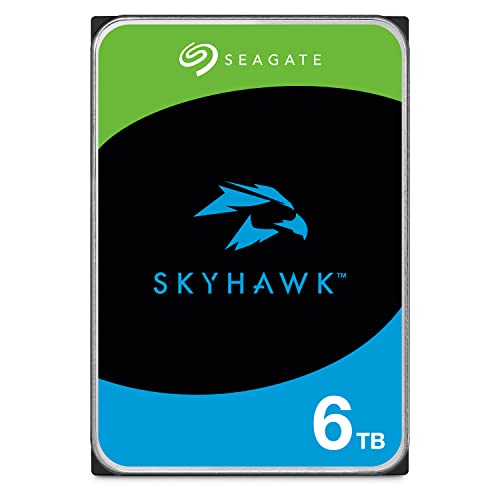
Pay attention to workload rate limits specified in the model documentation. Surveillance drives typically support higher total annual data writes than standard desktop hard drives. Designations like 'WD Purple' or 'Seagate SkyHawk' signal surveillance optimization. Choosing surveillance-specific drives over standard consumer hard drives helps ensure reliability and smooth performance under demanding video recording conditions.

Capacity, Recording Method, and Usable Storage

When selecting drive capacity, tally the total number of cameras, frame rate, resolution, and desired retention period. Surveillance-grade drives range from 1TB to well over 16TB, but note that SMR (Shingled Magnetic Recording) models may struggle with frequent rewriting, making CMR (Conventional Magnetic Recording) preferable for NVRs with high overwrite patterns.

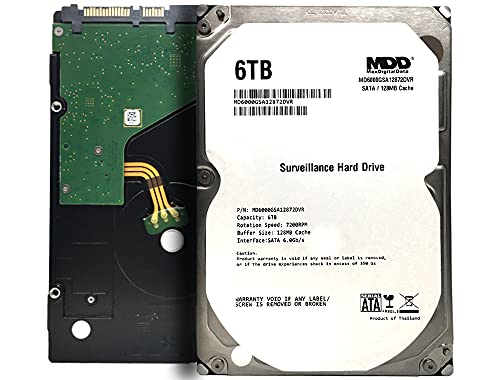
Always review the usable capacity after formatting, as system overhead and drive manufacturer reporting can reduce available storage. For instance, a 6TB rated drive may format slightly below that in your video recorder. Verify with your DVR/NVR documentation for supported capacities and recommended maximums, and avoid models above system limits.

Drive Interface, Compatibility, and Installation

Surveillance drives most commonly employ SATA interfaces and 3.5-inch form factors. Always verify your DVR or NVR requires the same before purchasing. Some advanced recorders may support multiple drives or offer eSATA/USB extension, so consult your system’s manual with the exact model code to confirm slot and expansion compatibility.

Check whether installation requires side or bottom mounting screws, the available drive bays, and available cooling for long-term reliability. Some DVR/NVR units require rail guides, unique caddies, or manufacturer-specific mounts. Before buying in bulk or upgrading storage, verify with the recorder’s support documentation to ensure maximum supported drive size or total storage does not exceed system limitations.

Evaluating Listings and Deciding When to Buy

When reviewing listings, match the drive’s model number and specific surveillance branding and firmware revision, as generic or unbranded models might not offer the same video recording optimizations. Inspect warranty terms—surveillance drives often carry a longer warranty than desktop equivalents but shorter than enterprise drives. Check return and support policies to reduce risk from possible early failures.

Wait for purchases if you do not see your required capacity listed at a reasonable price per terabyte, or if you find reviews mentioning incompatibility with your specific DVR/NVR brand or model. Buy when reputable sellers present clear documentation of surveillance-grade specifications and your recorder’s requirements align. For large deployments, consider consulting the camera system manufacturer for a certified drive model list.

Frequently asked questions

Can I use a surveillance hard drive in a regular desktop PC?

Yes, surveillance hard drives function in desktops, but they are optimized for constant writes, not for mixed-use or performance-critical desktop workloads. Expect less responsiveness than mainstream desktop models in typical office or gaming use.

How do I ensure a surveillance hard drive will work with my NVR?

Always confirm your NVR or DVR’s maximum supported drive size and interface, then reference the recommended or tested hard drive list provided in your system’s product manual or support site before purchasing.

Related Black Friday guides

Browse all Black Friday categories