Seagate Exos Black Friday Deals 2026

Amazon US · USDAmazon sale dates · Nov 19–30, 2026

Amazon Black Friday deals

As an Amazon Associate we earn from qualifying purchases. Prices and availability are accurate as of the time indicated and may change. The price and availability displayed on Amazon at the time of purchase apply.

Amazon hasn’t reported a Black Friday deal for these listings. Check Amazon

Regular listings

Product and offerAmazon price
$139.89New Price $232.93$23.31/TBChecked
Buy on Amazon
$449.99Typical price $479.99$28.12/TBChecked
Buy on Amazon
46% below reference
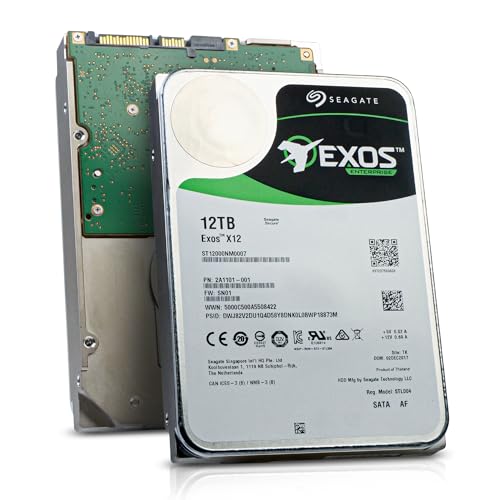
Seagate Exos x12 12TB SATA 6Gb/s 256MB Cache Enterprise Hard Drive 3.5in (ST12000NM0007) (Renewed)

Renewed · Worldwide Product Importer · 12 TB

$349.99New Price $645.59$29.17/TBChecked
Buy on Amazon
$798.99$30.73/TBChecked
Buy on Amazon
$739.99New Price $799.99$30.83/TBChecked
Buy on Amazon
$689.99New Price $2,541.00$31.36/TBChecked
Buy on Amazon
$189.99$31.67/TBChecked
Buy on Amazon
$899.99$32.14/TBChecked
Buy on Amazon
$899.99$32.14/TBChecked
Buy on Amazon
$839.99New Price $1,352.99$32.31/TBChecked
Buy on Amazon
$779.99$32.50/TBChecked
Buy on Amazon
$589.99New Price $719.00$32.78/TBChecked
Buy on Amazon
$789.99New Price $1,264.90$32.92/TBChecked
Buy on Amazon
$799.99$33.33/TBChecked
Buy on Amazon
$444.99Typical price $474.99$37.08/TBChecked
Buy on Amazon
$459.00$38.25/TBChecked
Buy on Amazon
$399.99$40.00/TBChecked
Buy on Amazon
$206.51$206.51/TBChecked
Buy on Amazon

Buying guide

Seagate Exos hard drives are enterprise-grade options designed for demanding 24/7 workloads, high capacity data storage, and reliability. Buyers must assess actual model specifications, reviewed performance, and intended use before purchasing. Making the right choice involves considering capacity per dollar, interface type, endurance expectations, and system compatibility. This guide provides actionable steps to select the best Exos drive for data centers and advanced storage needs.

Selecting the Correct Seagate Exos Model

Seagate Exos covers a series of enterprise-class hard drives, ranging from 1TB to more than 20TB. When choosing among them, carefully compare models based on capacity, interface (SATA or SAS), and rotational speed. The choice should also consider whether you need helium-sealed models for higher capacities and reliability, typically available in Exos X-series drives designed for heavy workloads.

It is essential to read the vendor listing and model code closely. For example, an Exos X16 (ST16000NM001G) will differ from an X18 (ST18000NM000J) in both capacity and underlying technology. Always check warranty terms and supported workloads, which should be detailed in the official datasheet and Amazon listing, to make sure it aligns with your data requirements.

Evaluating Value with Dollars per Terabyte

For hard drives like the Seagate Exos, the most actionable comparison is the cost per usable terabyte. Gather the list prices for comparable conditions (new, renewed, or bulk packs) and divide by total formatted capacity. This is especially helpful as some listings offer multi-packs, which can hide less favorable pricing when not converted to per-drive math.

Also, account for drive overhead, as actual usable capacity will be slightly less than the drive's stated raw size after formatting and parity (for RAID). For instance, a 16TB Exos may provide around 14.5TB formatted. When viewing listings, ensure the price reflects per-drive value, especially if you're buying for bulk server upgrades or storage clusters.

Understanding Interface and Recording Technology

Seagate Exos models are available with SATA or SAS interfaces. SATA is more common and compatible with most desktop motherboards and NAS units, but SAS offers superior performance, dual porting, and speeds for enterprise servers. Check your system documentation or controller’s supported interface and ensure you purchase the matching Exos variant.

Pay attention to the kind of magnetic recording used: CMR (Conventional Magnetic Recording) or SMR (Shingled Magnetic Recording). Most Exos drives use CMR, crucial for write-intense applications. Always verify this in the official model spec sheet rather than assuming, as SMR can cause performance degradation in certain data workloads.

Checklist Before Purchase and Upgrade Signals

Before buying, confirm the following: The model number exactly matches your compatibility requirements, you reviewed the product’s datasheet for workload and power usage, and you compared dollars per terabyte to current alternatives. Check that your server or NAS can physically and electrically accommodate the drive’s size, interface, and power needs.

If you face capacity constraints, rising drive errors, or firmware compatibility issues, it may be time to upgrade. Hold off buying if your deployed drives are well under workload limits, storage needs are met, and there are no pending vendor updates or generational changes specified in documentation. Avoid buying older stock if a new Exos series has been announced and you can delay.

Frequently asked questions

Are Seagate Exos drives suitable for NAS and RAID setups?

Most Seagate Exos drives support 24/7 operation, RAID, and NAS environments, especially CMR models. Check the datasheet and firmware compatibility with your NAS/SAN model before installation, as some consumer NAS units may favor NAS-specific lines like IronWolf.

How can I verify the endurance rating of a Seagate Exos drive?

Endurance, expressed as annual workload or TB written per year, is specified in Seagate’s product datasheets. Search the precise model number with "Seagate Exos datasheet" and review workload, MTBF, and warranty details for confirmation.

Related Black Friday guides

Browse all Black Friday categories